
Curtin CTF 2025 - Forensic Writeup
There are 8 forensic challenges and I only managed to solve 7 of them. Quite proud of myself for solving these hide and seek chall !
Recognize
We were given a file.png but somehow the file is corrupted. our task is to recover the file into its original form!
In this classic corrupted file challenge, first thing we need to do is inspect the magic bytes.
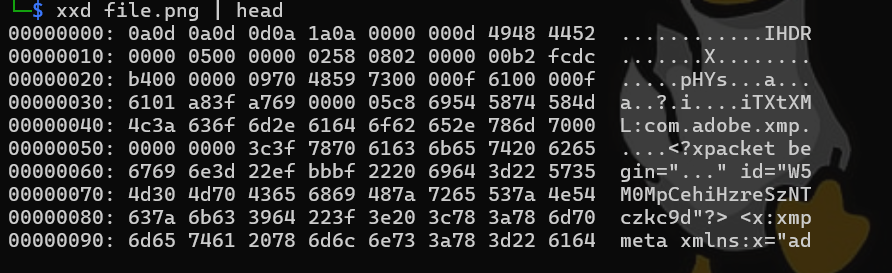
After inspecting, we can confirm that this png does not contain the magic bytes of a png which is “89 50 49 47”. Just add theses magic bytes into the file header using hexed.it.

This is the fixed image. Looks like the fun didnt end there and we need to dig more.
from exiftool, we got:
Image Size : 1280x600
which is not normal because 1280 usually matches with 720. So I suspected that the image is cropped!
I use this script to fully recover the image:
import struct
import zlib
import binascii

def fix_png_height(input_path, output_path):
    with open(input_path, 'rb') as f:
        data = f.read()

    # PNG Signature
    if data[:8] != b'\x89PNG\r\n\x1a\n':
        print("Not a valid PNG")
        return

    ihdr_idx = data.find(b'IHDR')
    # IHDR data starts 4 bytes after 'IHDR' text
    # Structure: Width(4), Height(4), BitDepth(1), ColorType(1), Comp(1), Filter(1), Interlace(1)
    ihdr_data = data[ihdr_idx + 4 : ihdr_idx + 17]
    width, height, bit_depth, color_type, compression, filter_method, interlace = struct.unpack('>IIBBBBB', ihdr_data)

    # Determine bytes per pixel (BPP)
    if color_type == 2: bpp = 3   # RGB
    elif color_type == 6: bpp = 4 # RGBA
    elif color_type == 0: bpp = 1 # Grayscale
    else: bpp = 3 # Default guess if unsure, usually covers CTF cases

    # Calculate actual data size from IDAT chunks
    idat_data = b""
    offset = 8 # Skip sig
    while offset < len(data):
        chunk_len = struct.unpack('>I', data[offset:offset+4])[0]
        chunk_type = data[offset+4:offset+8]

        if chunk_type == b'IDAT':
            idat_data += data[offset+8 : offset+8+chunk_len]

        offset += 12 + chunk_len # Length + Type(4) + Data + CRC(4)

    # Decompress and calculate correct height
    try:
        decompressed = zlib.decompress(idat_data)
        row_size = (width * bpp) + 1 # +1 for filter byte
        correct_height = len(decompressed) // row_size

        print(f"Original Height: {height}")
        print(f"Recovered Height: {correct_height}")

        if correct_height > height:
            # Construct new IHDR
            new_height_bytes = struct.pack('>I', correct_height)
            # Rebuild IHDR chunk data: Width(4) + NEW_HEIGHT(4) + Rest(5)
            new_ihdr_data = ihdr_data[:4] + new_height_bytes + ihdr_data[8:]

            # Calculate new CRC (CRC is calculated on Type + Data)
            # Chunk type is 'IHDR'
            crc_payload = b'IHDR' + new_ihdr_data
            new_crc = struct.pack('>I', binascii.crc32(crc_payload))

            # Construct the full IHDR chunk: Length(4) + Type(4) + Data + CRC(4)
            ihdr_len_bytes = struct.pack('>I', 13)
            new_ihdr_chunk = ihdr_len_bytes + crc_payload + new_crc

            # Reassemble file: Signature + New IHDR + Rest of file (skipping old IHDR)
            # Old IHDR was 13 bytes data + 12 bytes overhead = 25 bytes total
            rest_of_file = data[ihdr_idx + 17 + 4:] # Skip past old CRC

            with open(output_path, 'wb') as out_f:
                out_f.write(data[:ihdr_idx-4]) # Write Sig
                out_f.write(new_ihdr_chunk)    # Write New IHDR
                out_f.write(rest_of_file)      # Write Rest

            print(f"Fixed image saved to {output_path}")
        else:
            print("Height appears correct, no changes made.")

    except Exception as e:
        print(f"Error: {e}")

fix_png_height("fix.png", "restored.png")
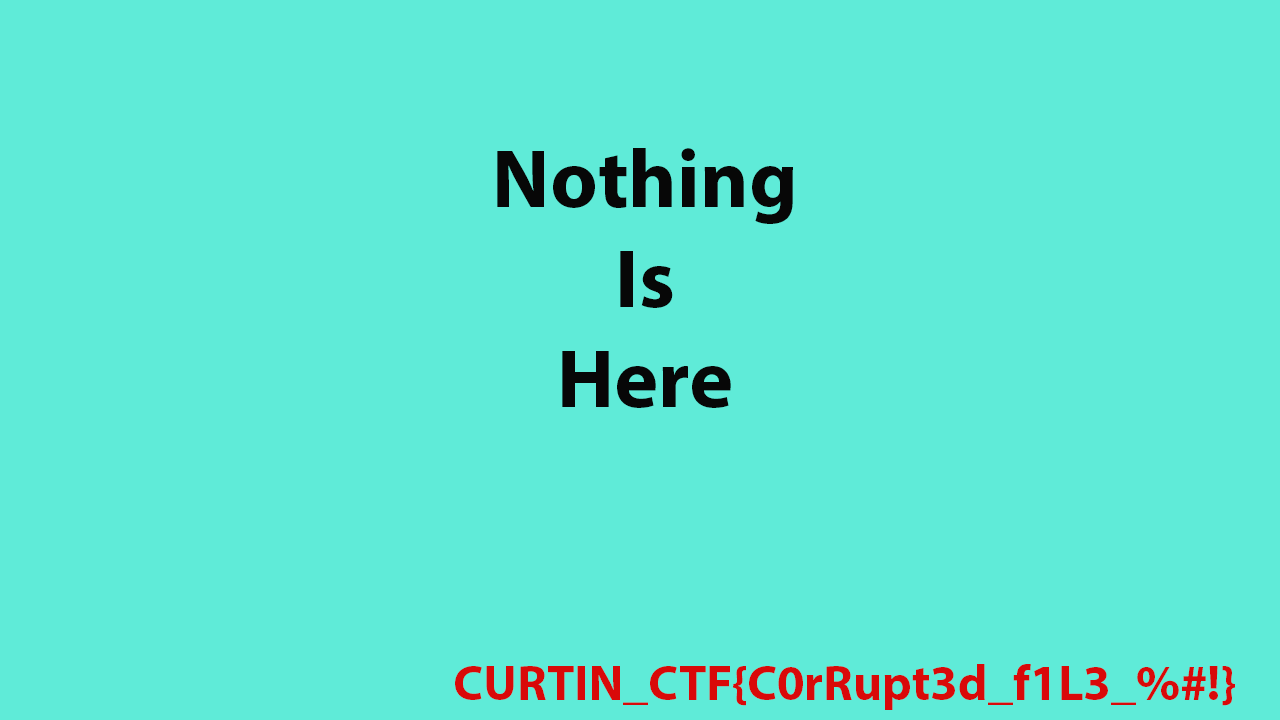
Flag: CURTIN_CTF{C0rRupt3d_f1l3_%#!}
MobApp
Hide and Seek Challenge..
We received apk-debug.apk so I simply unzip it and start looking for the flag.
I tried using grep and find but I couldnt fetch anything so I believe that the flag must be kept somewhere not readable by grep in terminal. So I start exploring each folder one by one.
After few minutes searching through, I found a database:

so this is why I cant find and grep the flag. Because it is located inside a database. I use DB Browser to read the content and get the flag which is encoded in Base 32.
Flag : CURTIN_CTF{50_D33p_50_1n5id3^}
Occurence
This is another hide and seek challenge with no context. We received challenge.evtx and find flag inside it!
We can use windows event explorer and search for the flag but lets use chainsaw which is more convenient to me. Chainsaw is a tool to inspect evtx via CLI.
Simply use this command:
chainsaw search "CURTIN_CTF|Q1VSVElOX0NURg|INKVEVCJJZPUGVCG|43555254494e5f435446" challenge.evtx
basically what I did was searching for the flag format in plaintext, base64, base32 and hex.
output:
Event_attributes:
  xmlns: http:/schemas.microsoft.com/win/2004/08/events/event
Event:
  System:
    Provider_attributes:
      Name: AuthService
    EventID_attributes:
      Qualifiers: 0
    EventID: 4885
    Version: 0
    Level: 4
    Task: 1
    Opcode: 0
    Keywords: '0x80000000000000'
    TimeCreated_attributes:
      SystemTime: 2025-11-03T20:36:52.026648Z
    EventRecordID: 328
    Correlation: null
    Execution_attributes:
      ProcessID: 3596
      ThreadID: 0
    Channel: Application
    Computer: Venom
    Security: null
  EventData:
    Data:
    - Configuration file loaded from C:\ProgramData\AppX\config.yml. Checksum=43555254494e5f4354467b6556336e54.
    Binary: null
Unfortunately we only get the first part of the flag which is encoded in hex. Decoded first part is: CURTIN_CTF{eV3nT.
So I manually inspect using Windows event viewer and found inside event 4806. The second part was encoded in base64: X1RyNGNrM2QkXiF9
Flag: CURTIN_CTF{eV3nT_Tr4ck3d$^!}
Record
We need to find flags inside 3 Windows Registry File. Awesome.
I use regripper to dump everything inside .txt for easier readability:
 regripper -r NTUSER.DAT -f ntuser > ntuser_dump.txt
 regripper -r UsrClass.dat -f usrclass > usrclass_dump.txt
 regripper -r system -f system > system_dump.txt
 cat usrclass_dump.txt system_dump.txt results.txt > dump.txt
then I throw that dump.txt into ChatGPT to gather the flag.
Flag: CURTIN_CTF{^R3g1sTrY_H4CK3R25^_f745!&}
Spider
In my opinion, this is the most fun forensic challenge in the competition.
We were provided with a zip file that contains Spidey.mp4 and Test.docm.
Before we start inspecting the contents, we need to bypass the zip password first. We can find the password by using exiftool and read the comments.
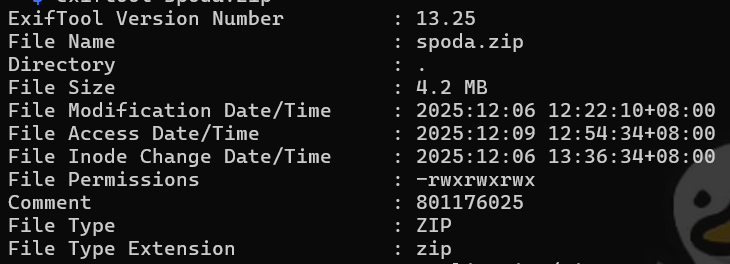
The password is 801176025. I was quite invested so I decoded it and got Mon 22 May 1995 20:53:45 UTC. Honestly I tried to look up for the date meaning but I dont know haha. Lets just move on into the next part!
Firstly, I go straight into the test.docm to find the flag.

I saw this message from Words. This means that the macro or VBA contains something. So I took a look.
After searching through, I found this binary:
01000011010101010101001001010100010010010100111001011111010000110101010001000110011110110011010101110011001100000101111101100011001100000011000001001100
which can be decrypted into:
CURTIN_CTF{5s0_c00L
the second flag shall be inside the spidey.mp4! Now lets take a look!
I ran the video inside mpv (kali linux video player) and turn on the subtitle and got this:
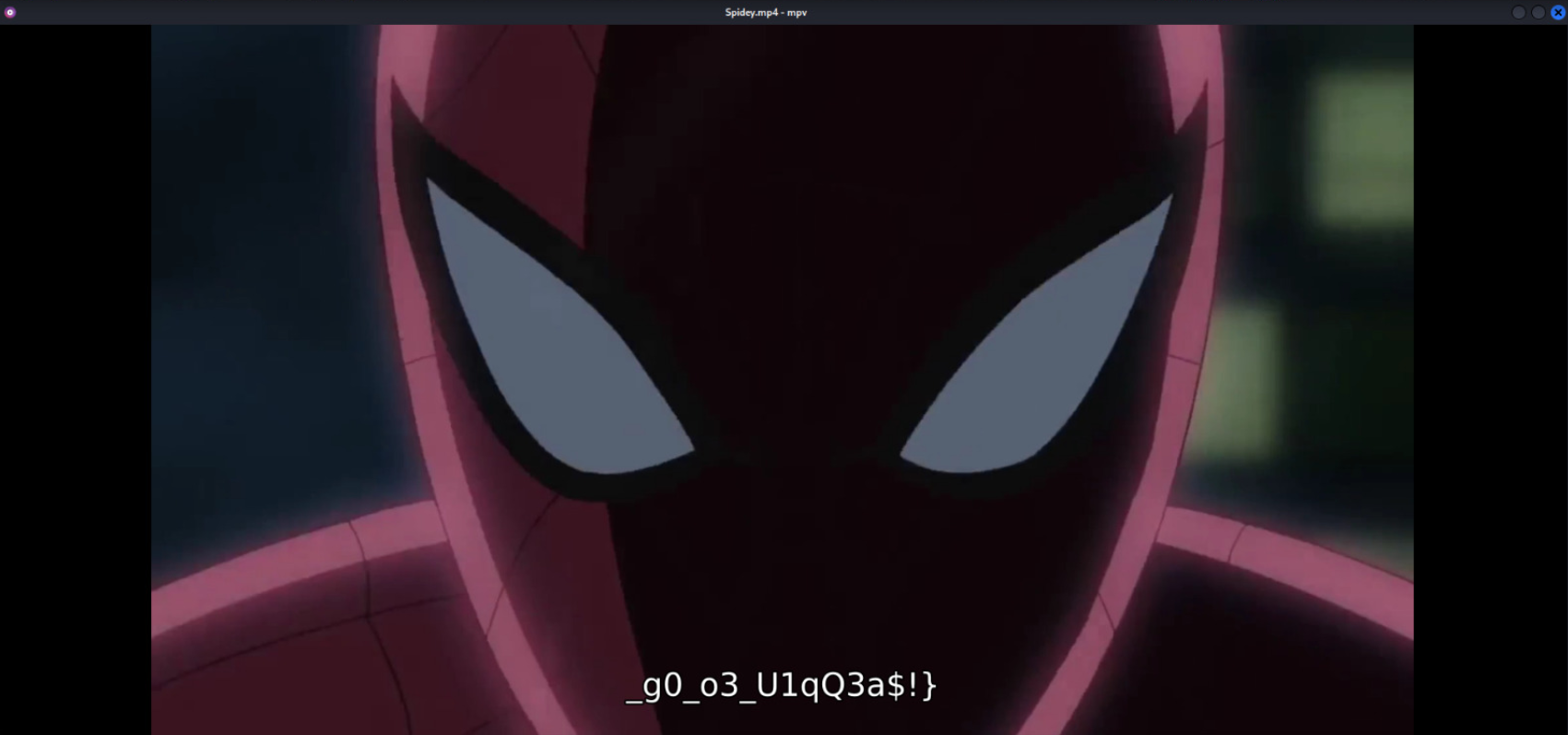
and.. thats the 2nd part of the flag!
Flag: CURTIN_CTF{5s0_c00L_g0_o3_U1qQ3a$!}
Seized
For this challenge, we simply just need to play hide and seek.
I use FTK Imager to browse through the E01 and found the flag inside root in partition 3
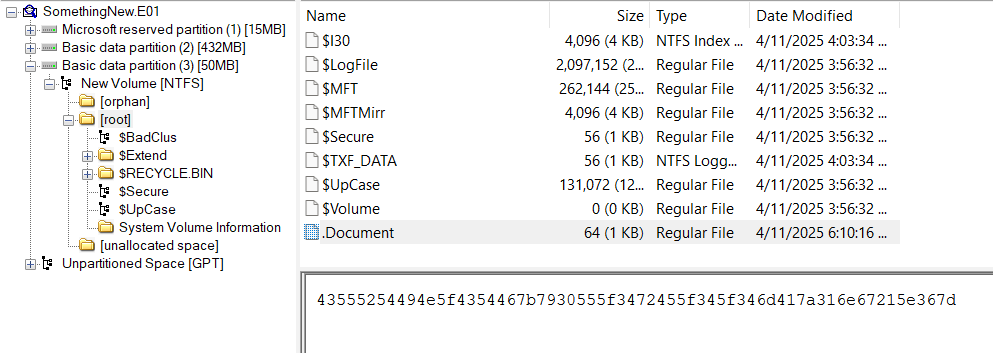
The file is encoded in hex inside .Document.
Flag: CURTIN_CTF{y0U_4rE_4_4mAz1ng!^6}
Traffic
The hardest hide and seek challenge in this competition (atleast for me)
We were provided with Capture.pcapng, we need to find flag inside this file.
I use tshark and wireshark to obtain the flags.
First part:
tshark -r Capture.pcapng -Y "tcp.flags.syn==1 && tcp.len>0" -T fields -e tcp.payload | xxd -r -p | tr -d '\n'
output: CURTIN_CTF{
2nd part:
tshark -r Capture.pcapng -Y "snmp" -T fields -e data.data | xxd -r -p
output: !@C0ll3cT_4
4th part:
tshark -r Capture.pcapng -Y "icmp" -T fields -e data.data | xxd -r -p
output: k$$_45#&)!}
now, i did not managed to pull out the 3rd part so I manually find it from wireshark:
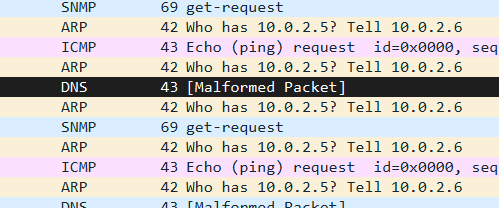
I found this Malformed Packet and try to follow the stream and found the 3rd flag:
lL_Th3_cHun
and thats it. We can now combine the parts and form a full flag!
Flag: CURTIN_CTF{!@C0ll3cT_4lL_Th3_cHunk$$_45#&)!}
That is all for my Curtin CTF 2025 writeup! I did not managed to solve the last challenge due to the time limit and my lack of knowledge. Thank you for reading!